
A real AI assistant for everyday work
Give every employeea full workday back.Every week.
Sarmis handles repetitive work across email, tasks and meetings. It speaks your language, writes in your voice and runs approved routines in the background.
Gmail available now. Outlook coming soon.
✓ Works in your language and writes in your voice✓ Learns your work rhythm and suggests useful routines✓ Executes in the background; important actions stay under your control
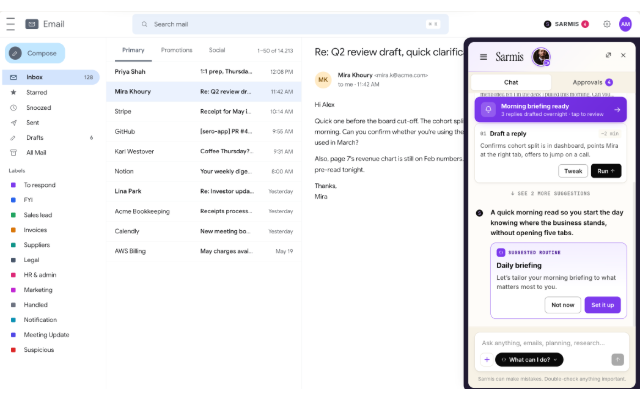
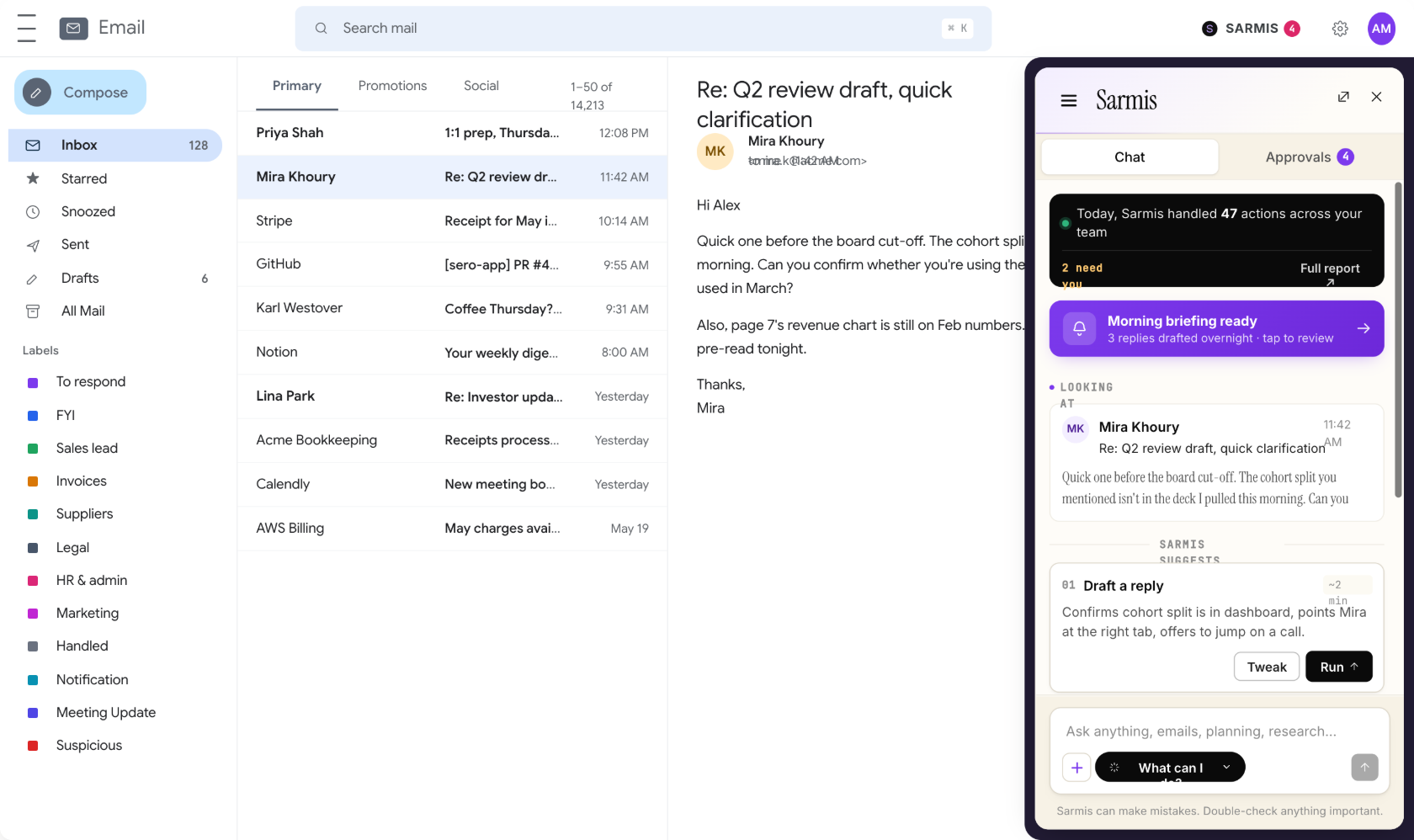
Click the Sarmis panel and try the assistant here
Sarmis measures and reports the actual time saved for every employee, team and department.
What changes in your week
Less repeated work. More time for customers and decisions.
Sarmis takes over the work people repeat every day: starting replies, checking follow-ups and rebuilding recurring tasks. Your team steps in only when judgment or approval matters.
What Sarmis does
Your assistant in email. Your routines running beyond it.
Ask once. Make it a routine.
Describe a repeated outcome in normal language. Sarmis creates the routine, shows what it will do and runs it on schedule with the right approvals.
ASKEvery Monday, prepare priorities and unresolved client follow-upsRESULTroutine created · visible · editable
A growing routine marketplace
Install ready-made routines for common business work. New routines are added continuously; use one as-is, adapt it or create a different one in chat.
Every Monday at 9, prepare my priorities and unresolved client follow-ups.Routine created ✓
Sarmis speaks your language.
Write in English, Spanish or the language you use at work. Sarmis continues in that language and writes email in your voice.
Work done, with oversight
Agents classify, draft, check and prepare next steps in the background. Coworkers, team leads and owners each see the activity, approvals and impact relevant to them.
92%SLA11 minreply time142hsaved
Install and access
Sarmis stays with you inside your email.
Add Sarmis to your email
Install Sarmis for Gmail from Google’s official marketplaces. Outlook support is coming soon.
Get the Gmail install linksWork beside every email
Chat with Sarmis, review drafts and approvals, and see what its routines are doing without leaving your inbox.
Preview the email extensionUse the dashboard for oversight
Manage routines and see activity, personal reports, team bottlenecks or company-level results based on your role.
Preview the dashboardAI assistant for every business role
Built for solo entrepreneurs,coworkers and team leads,and business owners.
Sarmis gives each person the actions and reporting that match their role.
Solo entrepreneurs
Control email, follow-ups and priorities without adding another person or a complicated system.
Coworkers
See what needs a reply, review prepared drafts and know which actions Sarmis already completed.
Team leads
Find unassigned work, delayed replies and blockers before they become customer problems.
Business owners
See company and department performance, approvals, bottlenecks and the work automated by Sarmis.
Connected, not another system to feed
Sarmis works with the tools your team already opens.
Gmail is available now. Google Drive can provide approved company knowledge, Calendar adds meeting context and WhatsApp keeps Sarmis available on mobile. Outlook and HubSpot are coming soon.
Need another system connected?
Tell us the business outcome: what Sarmis should read, which action it should prepare or complete, and where approval belongs.
Built for control, not lock-in
Your work stays in the tools you use. You stay in control.
Only the accounts you connect
Sarmis uses only the permissions needed for the email, calendar, files and routines you enable.
No second mailbox
Email remains with your email provider. Sarmis processes only the relevant content needed to complete the task you requested.
Disconnect whenever you choose
Remove a connected service or revoke its access at any time from Sarmis or the provider account.
Important actions stay visible
Approve, edit or delete drafts. Activity shows what Sarmis completed and what still needs you.
What is Sarmis?+
Sarmis is an AI work assistant for solo entrepreneurs and small and mid-sized businesses. It works beside each person in email, drafts in their tone and language, follows unfinished work, and runs recurring routines in the background. Gmail is available now; Outlook support is coming soon.
Is Sarmis only an AI email assistant?+
No. Email is where Sarmis meets you, not where its work ends. It can connect messages to routines, follow-ups, briefings, approvals, company knowledge and role-based reporting.
Can I create an automation without writing code?+
Yes. Describe what should happen in everyday language. Sarmis can turn the request into a scheduled routine, a sender rule or a missing-email alert, and make it visible for review immediately.
Will Sarmis send emails without my approval?+
Sarmis can prepare replies in your tone and place them in an approval flow. You can approve, edit or delete them. Higher-autonomy routines are enabled only when the workspace chooses to do so.
Does Sarmis work for teams?+
Yes. Coworkers see their own work, team leads see team bottlenecks, and owners see company and department-level reporting, recommendations and approvals. The owner invites people directly from Dashboard → Account → Members; each new member chooses their team during onboarding.
Where do I install Sarmis?+
Sarmis is distributed through the Google Workspace Marketplace and Chrome Web Store for Gmail. Your Sarmis dashboard opens in the browser with the same work account; it is not a separate desktop download.
Put repeat work on repeat
Add Sarmis to your email.
Available for Gmail now. Outlook support is coming soon.